Evaluations Evaluations use AI to analyze transcripts and score them based on criteria you define. Instead of manually reviewing every conversation, you can set up evaluations to automatically assess things like customer satisfaction, resolution rate, or any custom metric that matters to your business. Enabled evaluations run on every new transcript, and you can also run them retroactively on historical conversations. Access evaluations from the Evaluations tab in the sidebar of your project.

Understanding evaluations
Video Playholder Each evaluation consists of a name, a model that performs the analysis, a metric type that determines how results are formatted, and criteria that describe what the model should look for. When an evaluation runs, the model reads the full transcript and returns a score based on your criteria, along with reasoning that explains how it reached that conclusion. The evaluations table shows all your evaluations with their criteria, type, number of logs (transcripts evaluated), and average credit cost per evaluation. Use the toggle on the right to enable or disable each evaluation.

Creating an evaluation

Video Playholder Click New evaluation to create a custom evaluation. Give it a descriptive Name like “Technical accuracy” or “Upsell success rate”, then select a Model to analyze the transcripts. GPT-4o mini is the default and works well for most use cases while keeping costs low. Choose a Metric type that determines how results are formatted:
  • Rating scores transcripts on a numeric scale you define, such as 1 to 5, and works well for subjective measures like satisfaction.
  • Binary returns a simple pass or fail, useful for yes/no questions like “Did the agent resolve the issue?”.
  • Options lets you define a set of possible outcomes for categorizing conversations.
  • Text returns a free-form response for open-ended analysis like summaries.
Write a Criteria that tells the model exactly what to evaluate. Be specific: rather than “Rate customer satisfaction”, write “Rate how satisfied the customer appears based on their tone, whether their questions were answered, and whether they expressed frustration or gratitude.” Before saving, click Test on last transcript to see how it performs on a real conversation. This helps you refine your criteria before enabling the evaluation on all future transcripts.

Viewing evaluation results

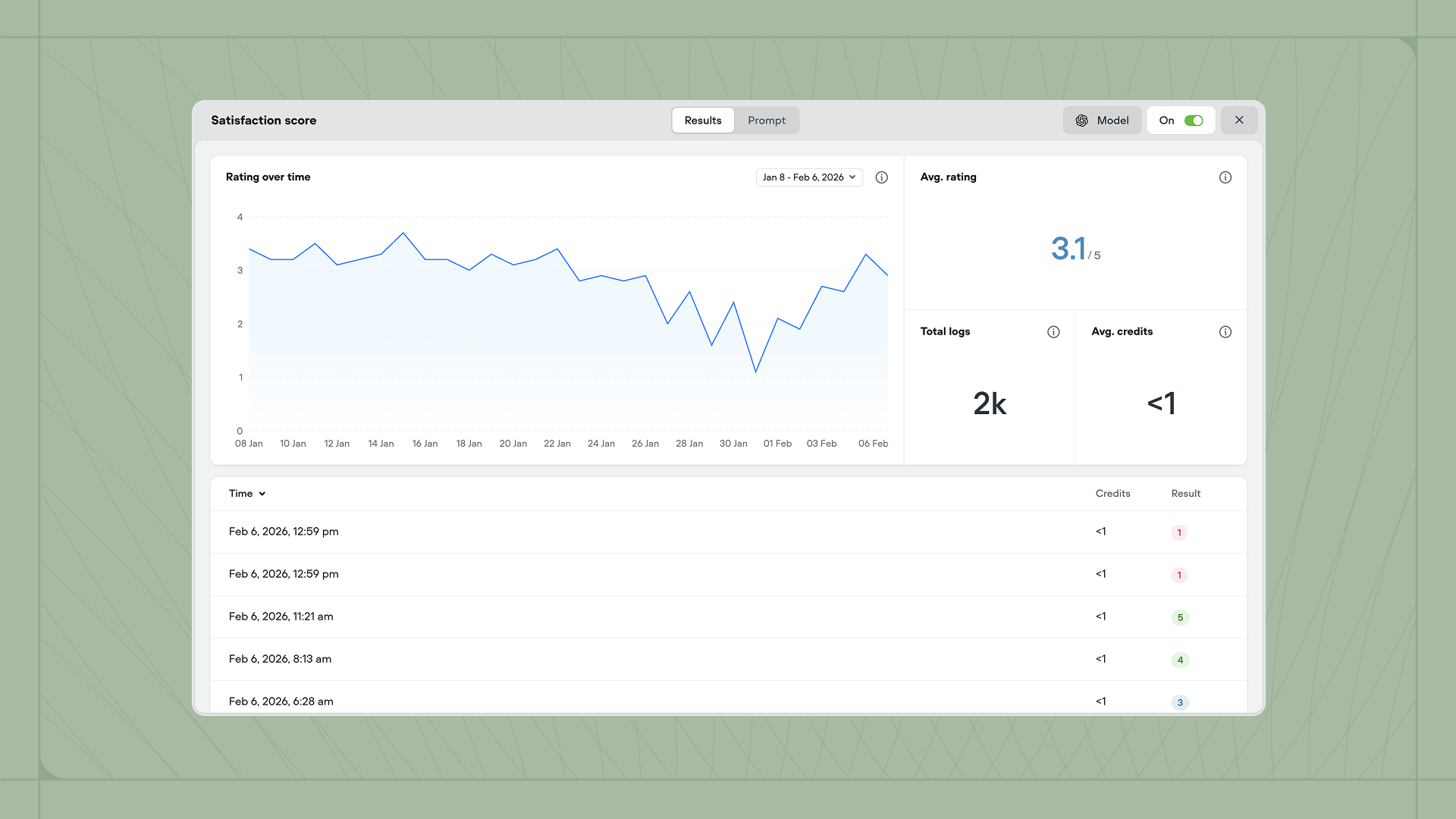
Click any evaluation to see its performance over time. The detail view shows a chart of results, the average score, total number of transcripts evaluated, and average credit cost. Below the chart, you can see individual results for each transcript. Video Playholder Evaluation results are also shown on transcripts and the analytics page.

Default evaluations

Voiceflow includes three evaluations out of the box:
  • Customer satisfaction rates how satisfied the customer appears based on conversation tone and content, on a scale of 1 to 5.
  • Deflection rate determines whether the customer’s issue was resolved through self-service or automation without requiring human intervention.
  • Resolution rate determines whether the agent fully resolved the customer’s issue by the end of the conversation.
You can enable or disable these defaults, but you cannot edit or delete them. Create custom evaluations if you need different criteria or metrics.

Running evaluations on past transcripts

Evaluations only run automatically on new transcripts created after they’re enabled. To score historical conversations, select one or more transcripts in the Transcripts tab and click Batch run evaluation. Choose which evaluations to apply and they’ll run on all selected transcripts. This is useful when you create a new evaluation and want to backfill results, or when you want to re-evaluate conversations after refining your criteria.

Evaluation costs

Each evaluation consumes a small amount of credits because it uses an AI model to analyze the transcript. The exact cost depends on the model you select and the length of the transcript. You can see the average credit cost for each evaluation in the table and detail views.